Buying guides · 22 April 2026
MacBook Neo, Air or Pro: choosing the right Mac for school, work or creative jobs
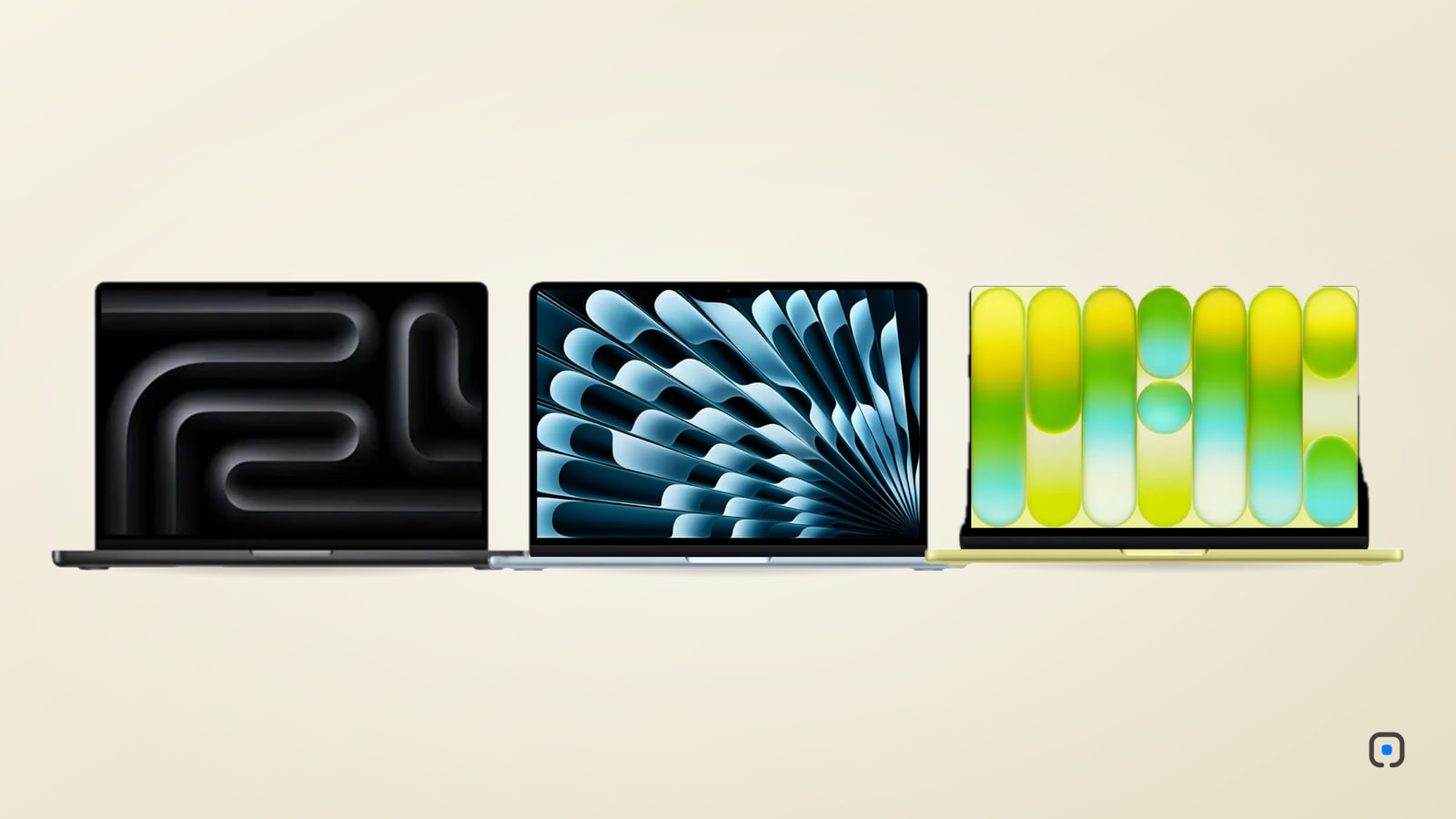
Apple now makes three kinds of laptop, from the new MacBook Neo to the MacBook Pro. Here is who each one is really for, and where the extra money goes.
By iVillage Africa
A mother in East Legon asked us a good question last month. Her son was starting university in September, her husband wanted a laptop for spreadsheets and email, and she edits wedding videos at weekends. Could one Mac do for all three of them?
It could, in a pinch. But since March, Apple has made the choice clearer than it has been for years, because there are now three distinct kinds of MacBook, and each one fits a different kind of day.
Three laptops, three jobs
On 4 March 2026 Apple announced the MacBook Neo, and it went on sale on 11 March. The same week brought the MacBook Air with M5 (on sale 11 March) and new MacBook Pro models with the M5 Pro and M5 Max chips, joining the 14-inch MacBook Pro with M5 that arrived in October 2025.
Put simply: the Neo is the new way in, the Air is the one most people should own, and the Pro is a tool for people whose work is heavy.
MacBook Neo: the student's Mac
The Neo is the first Mac to run on an iPhone chip, the A18 Pro, first seen in the iPhone 16 Pro. That sounds like a compromise until you use one. It is a full macOS machine, not a cut-down version, and it opens documents, runs a dozen browser tabs, handles video calls and plays films without fuss.
What you get:
- A 13-inch display at 500 nits, bright enough for a lecture hall
- Up to 16 hours of video playback, which covers a long day on campus and a power cut in the evening
- An aluminium body in Silver, Indigo, Blush or Citrus
- The least expensive Mac Apple has ever sold
What you give up is headroom. The Neo has one external display output, slower USB-C ports than the Air and 8GB of memory. For essays, research, Microsoft Office, Canva and streaming, that is fine. For editing long videos or running heavy software for years to come, it is tight.
Buy it if you are a student, a first-time Mac owner, or you want a light, dependable laptop for the basics. MacBook Neo
MacBook Air (M5): the default choice
If you are not sure, buy the Air. The M5 generation starts with 16GB of memory and a 512GB SSD, which used to be the upgrade and is now the floor. That is enough space for years of documents and photos, and enough memory to keep many apps open at once.
A few details make it a good daily companion:
- No fan. It is completely silent, whether you are typing a report or exporting photos.
- Up to 18 hours of video playback.
- Two sizes. The 13-inch weighs 1.23 kg and lives in a bag easily; the 15-inch gives you a bigger screen and better speakers for a desk.
- Two external displays supported, useful if you work at a desk with monitors.
- A 12MP Center Stage camera, which keeps you framed on calls.
For office work, accountants, lawyers, civil servants and anyone who lives in email, spreadsheets and Teams, the Air is more laptop than they will need. It also handles photo editing in Lightroom, coding and light video work comfortably. The one thing it does not like is long, sustained heavy loads: with no fan, it slows itself slightly to stay cool during a very long export.
Buy it if you want one laptop that does everything reasonably well for five years or more. MacBook Air (M5)
MacBook Pro (M5): for work that pushes back
The Pro earns its price in two ways: the display and staying power.
The Liquid Retina XDR screen holds 1000 nits across the whole panel and peaks at 1600 nits for HDR content, with ProMotion for smooth scrolling up to 120Hz. If you grade video or retouch photos for print, you can trust what you see. It is also bright enough to work near a window in the Accra afternoon.
It has fans, so it keeps full speed during a two-hour render. And it has the ports that working people need: HDMI for a client's TV or projector, an SD card slot for camera cards, Thunderbolt, and MagSafe so a trip over the cable does not pull the laptop off the table. Battery life is rated at up to 24 hours of video playback on the 14-inch M5.
The 14-inch with M5 is the starting point. The M5 Pro and M5 Max versions add many more CPU and GPU cores and much more memory, for people editing 4K and 8K footage, building apps, or working with 3D.
Buy it if you edit video or photos for a living, write software, or do anything where waiting costs you money. MacBook Pro (M5)
A quick way to decide
- School and study: MacBook Neo. Move to the Air if the course involves design, architecture or engineering software.
- Office work: MacBook Air, 13-inch if you travel between meetings, 15-inch if it stays on a desk.
- Photography: Air for hobbyists, Pro if clients see your work.
- Video: Pro. The fans and the screen matter over a long edit.
- Code: Air for web and app development at a normal pace; Pro if you compile big projects or run many containers.
A word on memory and storage
You cannot add memory or storage to any of these Macs later. If you are between two options, spend on the one that gives you more of both, not on a nicer colour. A laptop that feels fast today and slow in three years is usually a laptop that was bought with too little memory.
As for the family in East Legon: we suggested a Neo for the son, an Air for the father, and that the weekend video work should go to the Air as well rather than stretch a student's machine. Nobody had to share.
Every Mac we sell is brand-new and sealed. If you want to talk through a particular configuration before you order, get in touch.
Comments
No comments yet — be the first.
Sign in to join the conversation. You can comment under your name or anonymously.